
Kotak Bank Linking
Connected Banking lets you link your Kotak Bank current account to Open. Authorisation happens on Kotak's Connected Banking portal using your net banking credentials, an OTP, and a one-time consent against your CRN.
What you needYour Kotak CRN (or net banking user name), net banking password, and access to the mobile number registered with Kotak for the OTP.
Before you start
| Requirement | Details |
|---|---|
| Open account | Access to the Open dashboard |
| Kotak login | Active net banking credentials — CRN or user name, plus password |
| Registered mobile | Reachable for OTP delivery |
| Account type | Current account |
Step 1 — Navigate to Banking
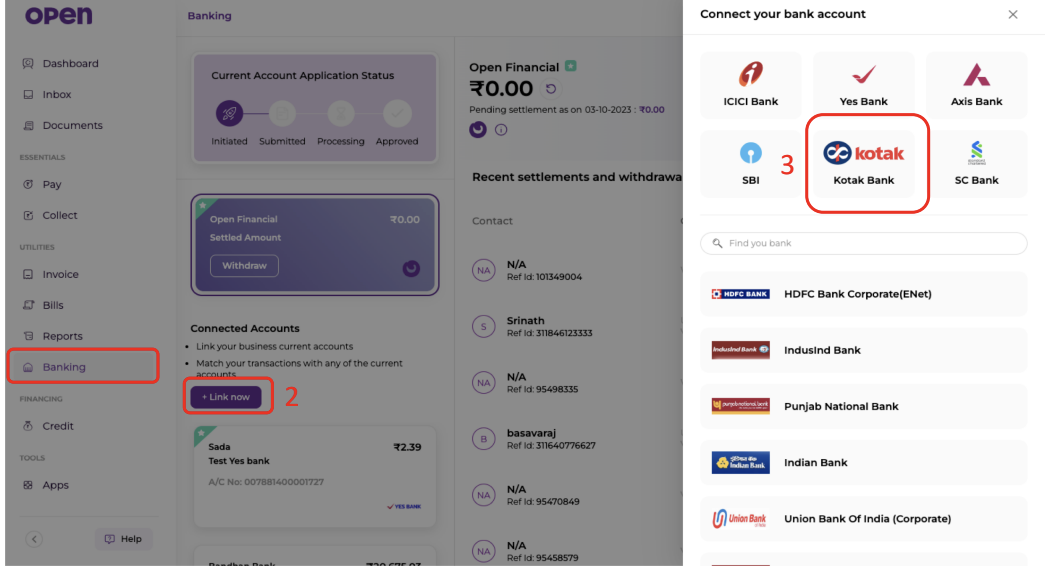
Log in to Open and open the Banking page from the left navigation.
Step 2 — Click Link now
Under Connected Accounts, click + Link now. The Connect your bank account panel opens on the right.
Step 3 — Select Kotak Bank
Choose the Kotak Bank tile. If it is not shown, use Find your bank to search the full list.
Step 4 — Log in with your net banking details
You are redirected to Kotak's Connected Banking portal at cb.kotak.com/connected/login.
Select the CRN or USER NAME tab, then enter:
- CRN (or user name)
- Net Banking Password
- Captcha
Click SECURE LOGIN.
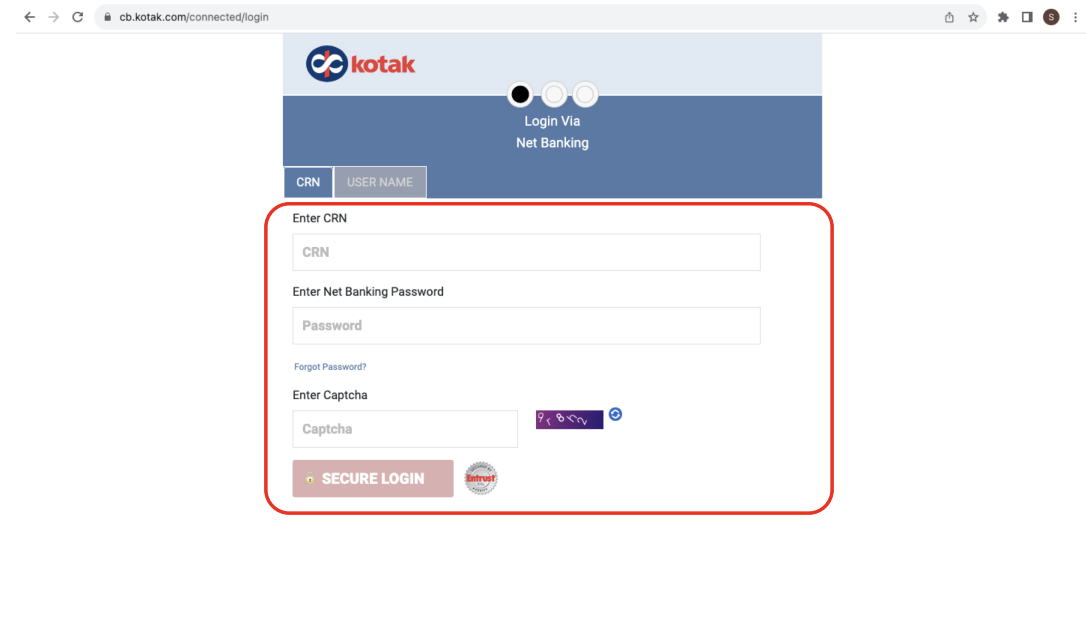
Forgotten passwordUse the Forgot Password? link on this page to reset through Kotak. Open cannot reset your net banking credentials.
Step 5 — Verify the OTP
Kotak sends a one-time password to your registered mobile number. Enter it under Enter One Time Password (OTP) and click VERIFY.
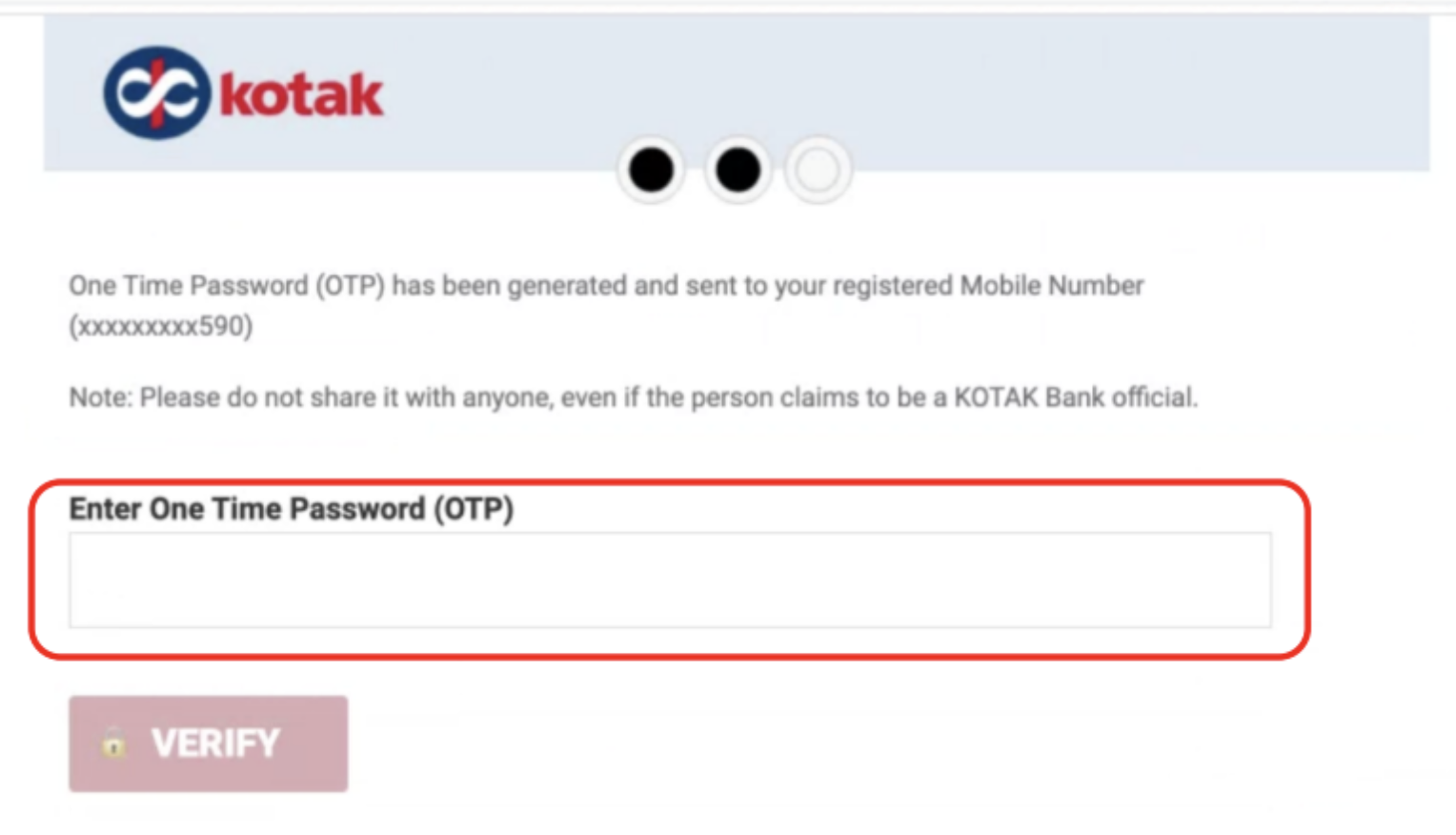
Never share the OTPDo not share this OTP with anyone, including callers claiming to be Kotak Bank officials.
Step 6 — Give consent
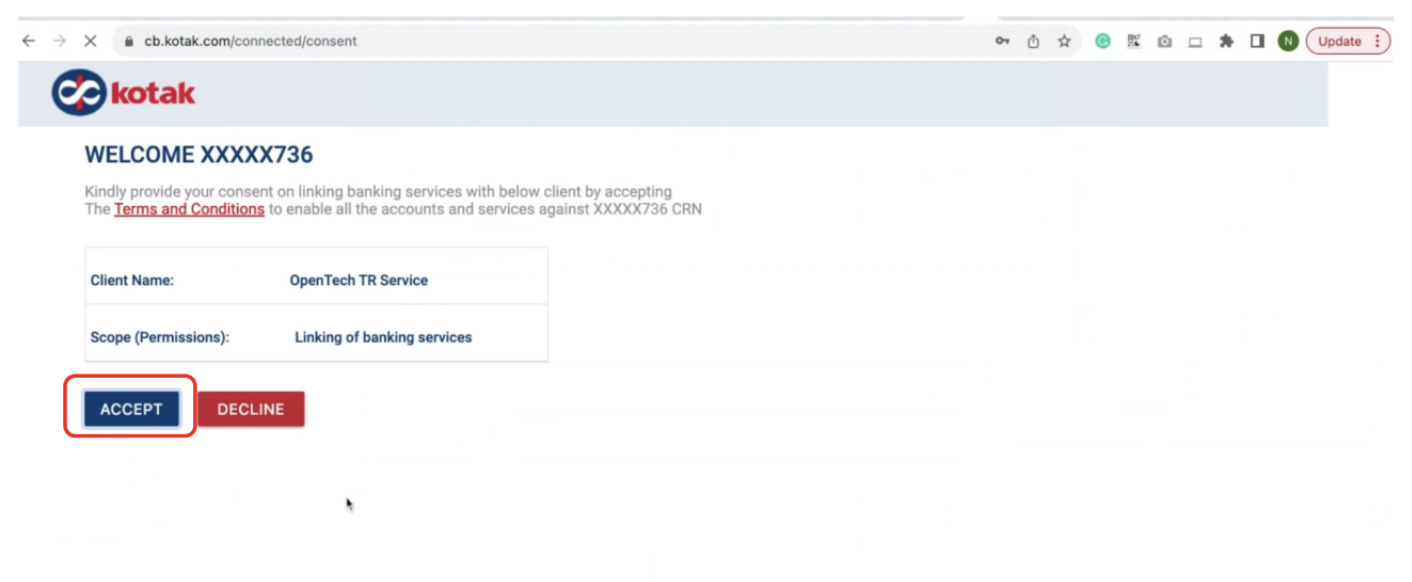
The consent page at cb.kotak.com/connected/consent shows the request details:
| Field | Value |
|---|---|
| Client Name | OpenTech TR Service |
| Scope (Permissions) | Linking of banking services |
Review the Terms and Conditions, then click ACCEPT to enable all accounts and services against your CRN. Choosing DECLINE cancels the linking.
Step 7 — Confirm the account in Open
You return to the Open Banking page, where the linked Kotak account appears under Connected Accounts with its balance and last sync time.
Updated 2 months ago