
IDFC Account Linking
This guide walks you through the process of linking your IDFC Bank current account to your Open.Money business account.
Prerequisites
- Active Open.Money account with Banking module access
- IDFC Bank current account credentials
- Access to IDFC FIRST Bank BXP portal
- Registered phone number associated with your IDFC account
Linking Flow
Step 1: Navigate to Banking and Initiate Link
- Log in to your Open.Money account
- Click on Banking in the left sidebar
- Under "Connected Accounts," click + Link now
- Select IDFC Bank from the list of available banks
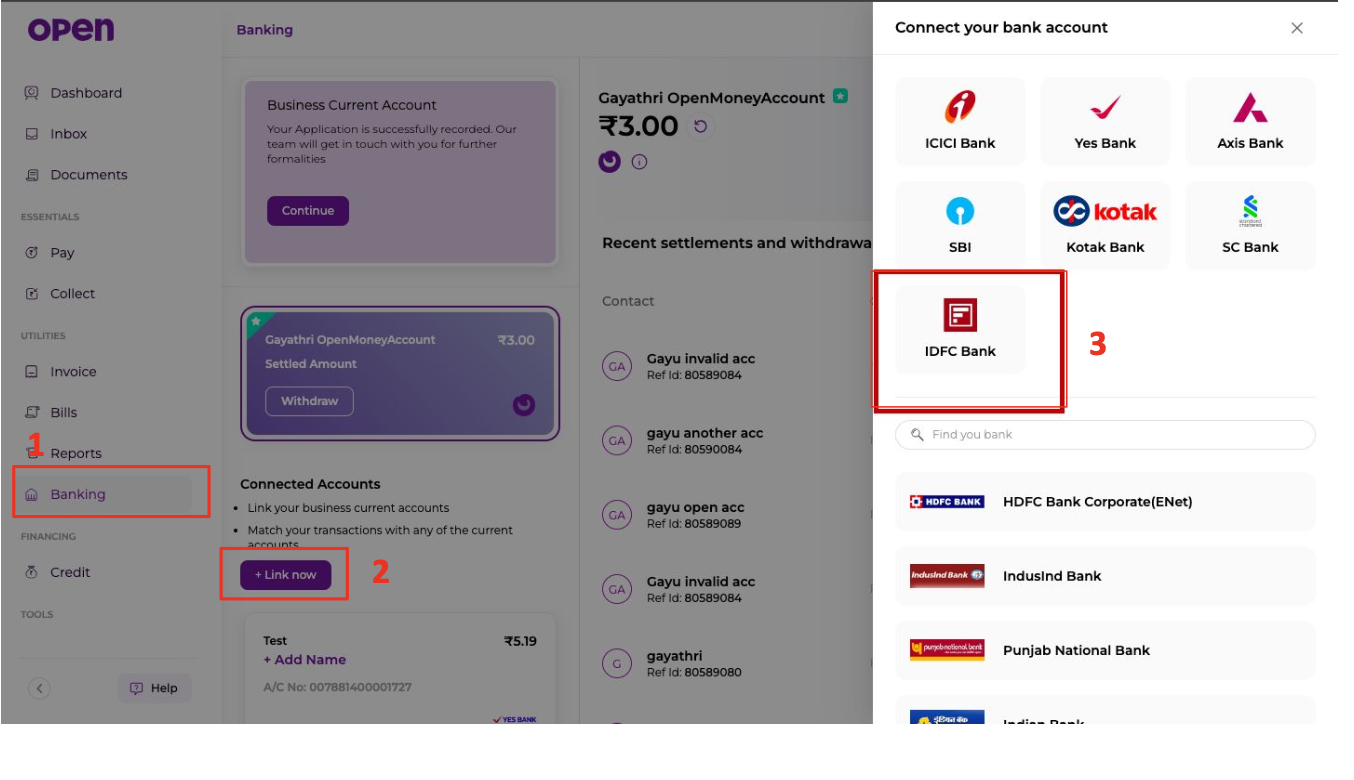
Step 2: Enter Account Details
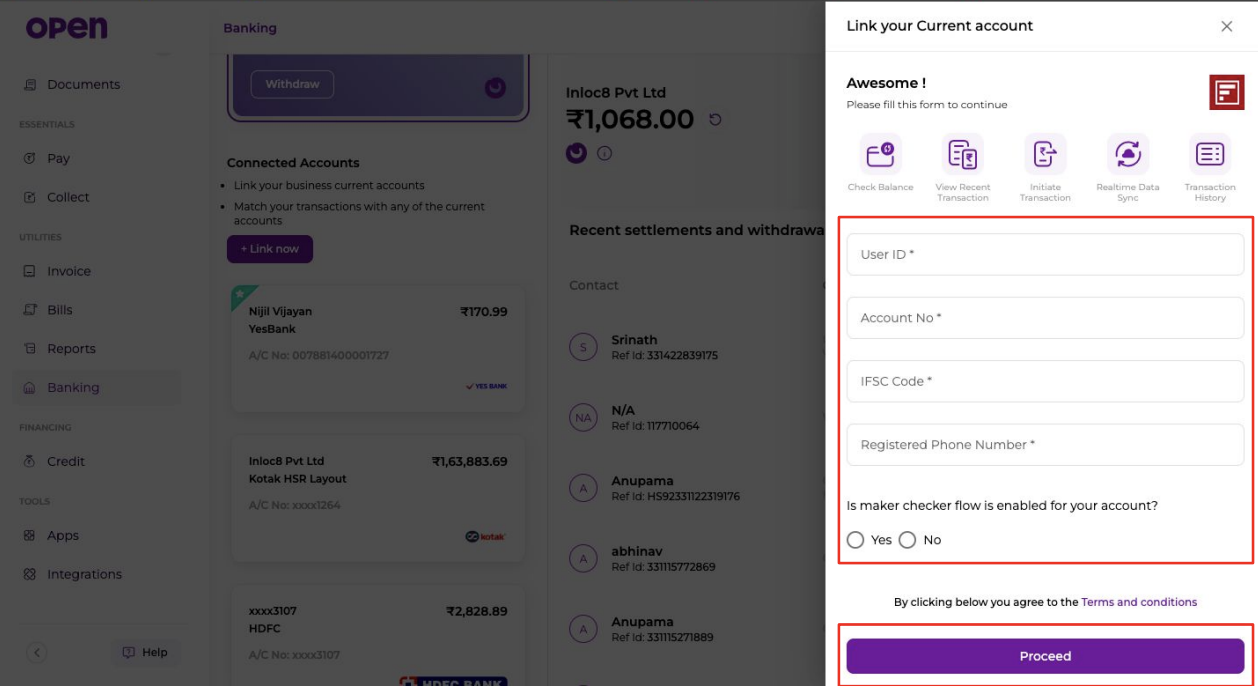
In the "Link your Current account" form, provide the following information:
| Field | Description |
|---|---|
| User ID | Your IDFC FIRST Bank BXP user ID |
| Account No | Your IDFC current account number |
| IFSC Code | IDFC bank branch IFSC code |
| Registered Phone Number | Phone number registered with IDFC |
| Maker Checker Flow | Select "Yes" or "No" based on your account configuration |
Click Proceed to continue.
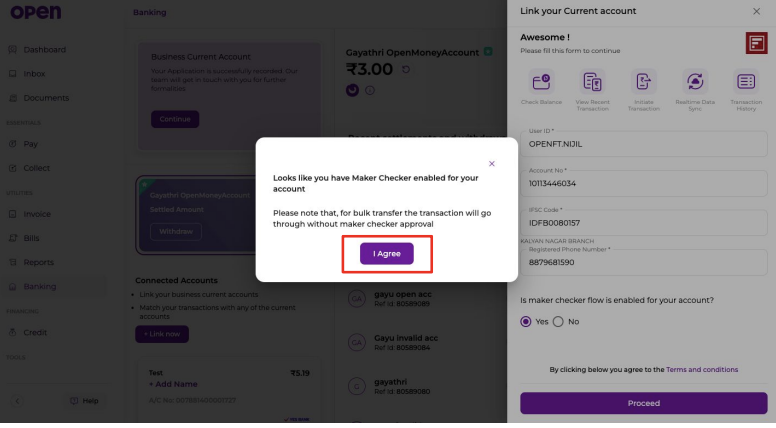
Step 3: Review and Authorize in Open.Money
- A confirmation dialog will appear indicating that maker-checker flow is enabled for your account
- Read the disclosure: "for bulk transfer the transaction will go through without maker checker approval"
- Click I Agree to acknowledge the terms and conditions
- Click IDFC Login button
You will be redirected to IDFC's authentication portal.
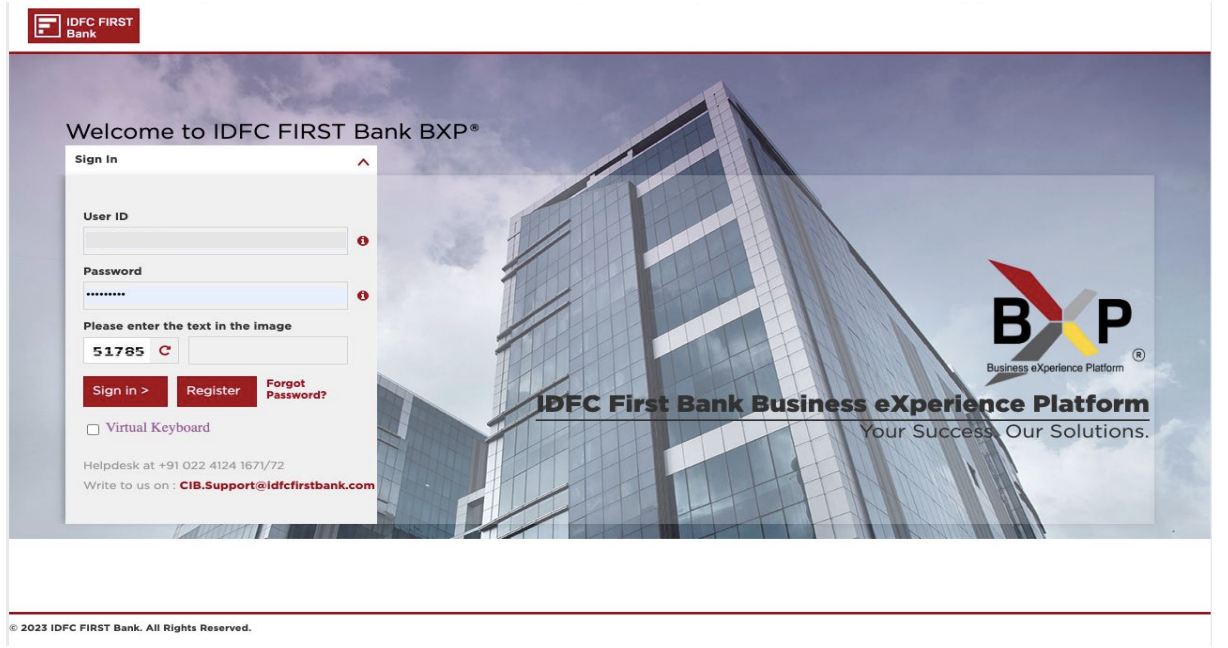
Step 4: Authenticate with IDFC
- You will be redirected to the IDFC FIRST Bank BXP login portal
- Enter your credentials:
- User ID
- Password
- CAPTCHA (if prompted)
- Click Sign in >
Step 5: Authorize in IDFC Portal
-
Log in to your IDFC FIRST Bank BXP account
-
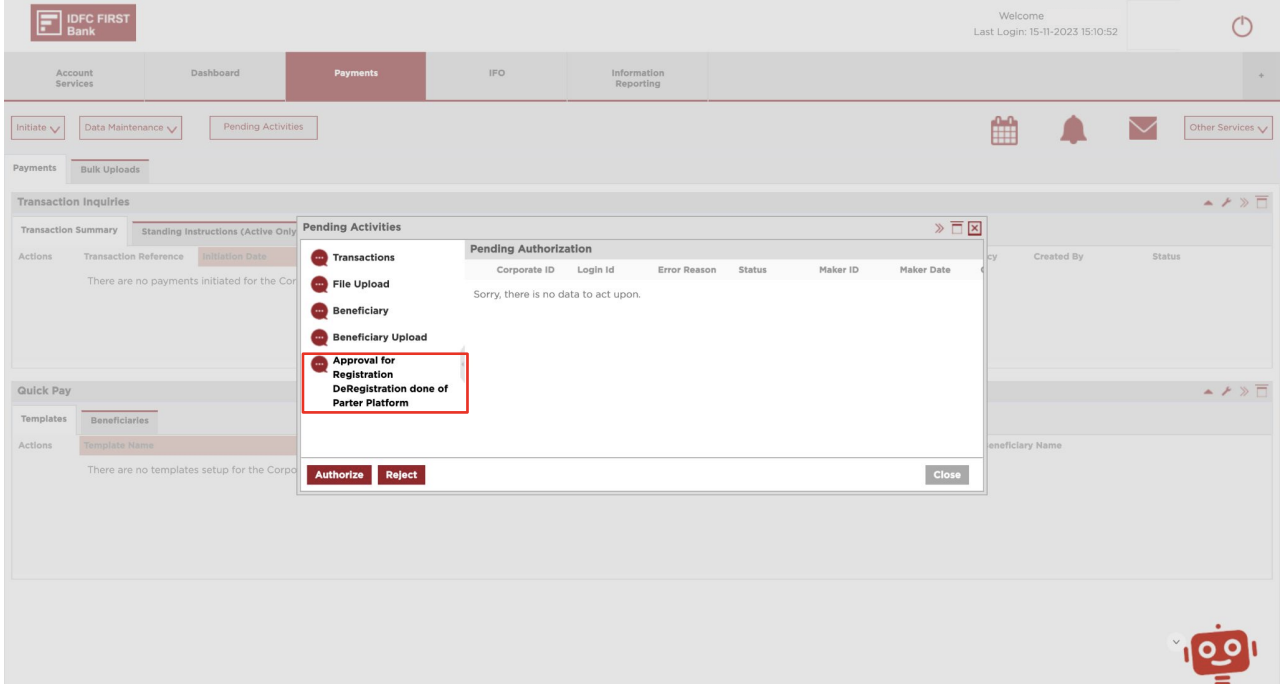
Navigate to Payments tab
-
Click on Pending Actions
-
Locate the pending action: "Approval for Registration / DeRegistration done of Partner Platform"
-
Review the authorization request details:
- Corporate ID
- Login ID
- Maker ID
- Maker Date
-
Click Authorize to approve the connection
Step 6: Retry in Open.Money
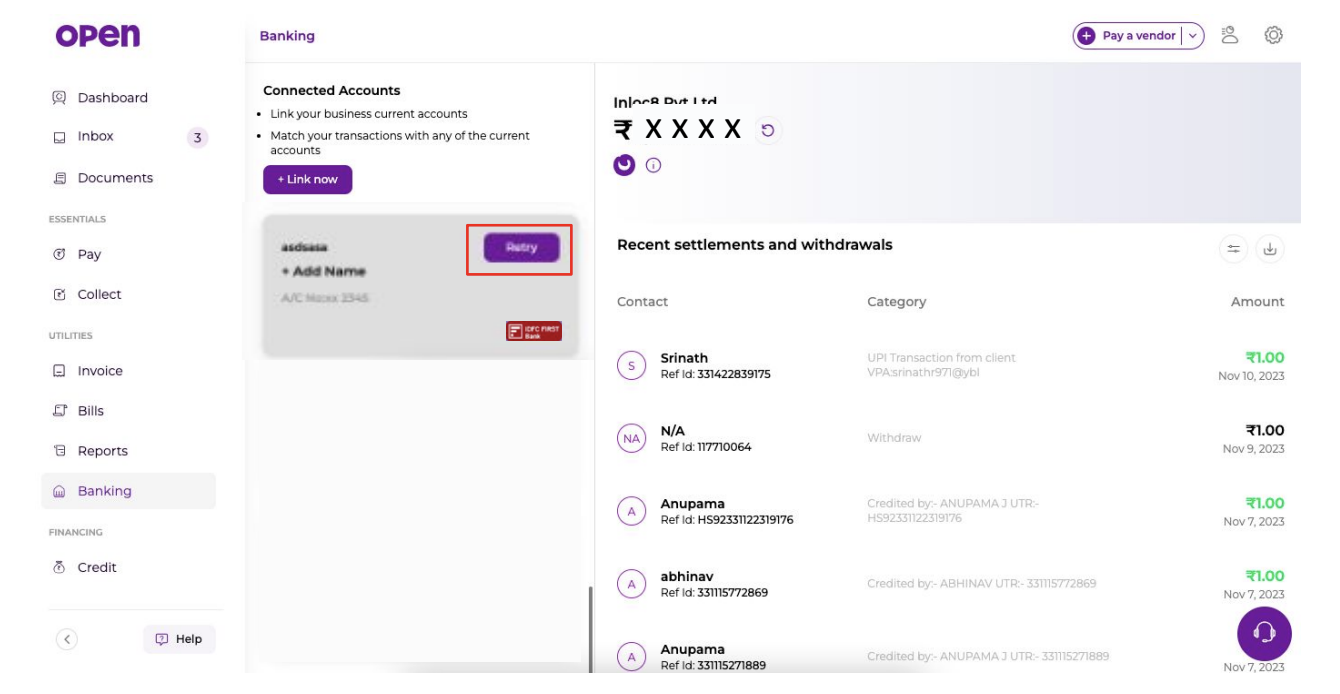
- Return to your Open.Money account (or log in if the session expired)
- Navigate to Banking
- Locate your linked account card
- Click Retry button to finalize the linking process
Step 7: Verification
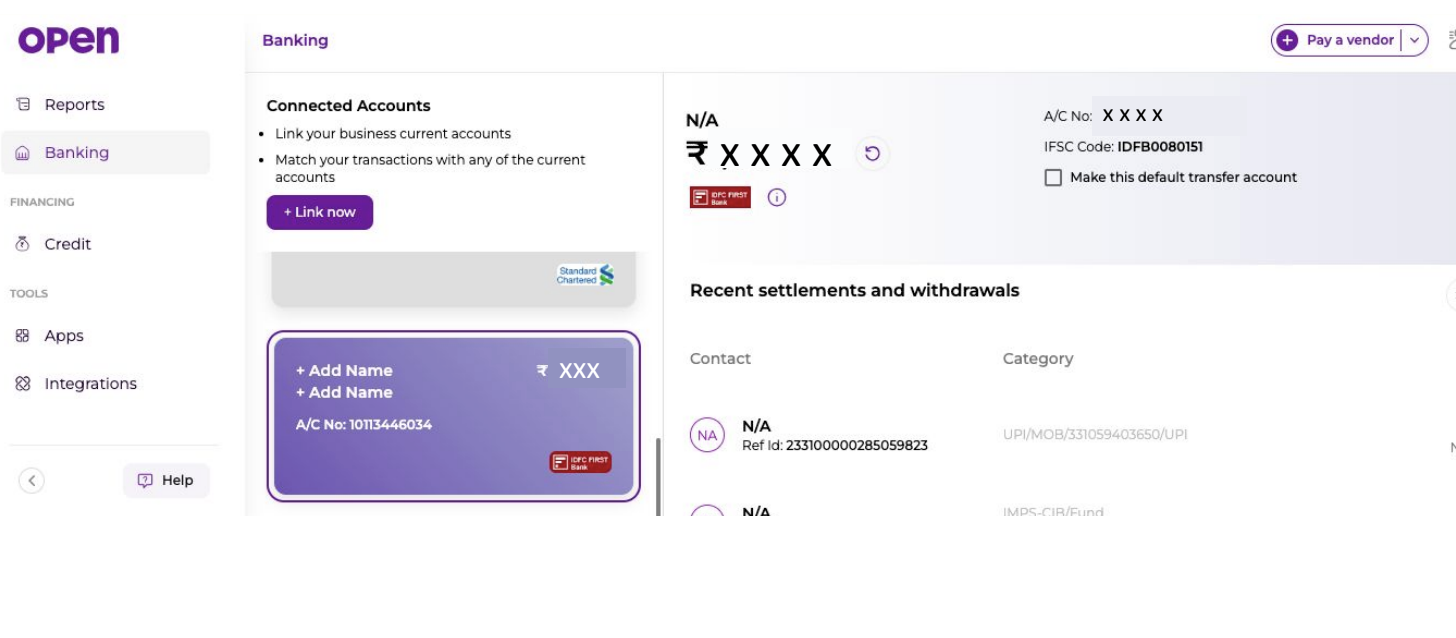
Upon successful linking, your account will display:
- Account holder name
- IFSC Code:
IDFB0080151 - A/C No. (masked for security)
- Account balance
- Recent settlements and withdrawals
The account is now active and ready for transactions.
Handling Token Expiry
If you encounter a "Token Expired" error message:
Error Message:
"To continue using IDFC Connected Banking services, please authenticate your net banking credentials in the IDFC portal"
Resolution:
- Click Continue on the token expiry dialog
- You will be redirected to the IDFC netbanking authentication page
- Log in with your IDFC netbanking credentials:
- Username
- Password
- Click Login
- Upon successful authentication, your linked current account will be active again
Note: Tokens refresh periodically. If you encounter this message during any transaction, follow the steps above to re-authenticate.
Updated 2 months ago